
I hardly update the blog, but I am working on the project almost every day in the meantime! Take a look:

As you can see, there’s quite a bit different! You can actually open a Scene, save it, add Imported Images to the Scene, and even add something called “Gears” to the Game Objects.
Gears
What are Gears? Well, they’re Code you can write C# code (for now), and if it’s based off the GameObjectGear class, it will show up in the ‘Code’ area. In this case I have a Logo class which has some external fields which link up to the Editor as you can see!
In the Logo class I exposed fields like:
[External(Default = 1.00f)] public float sizeMin;
[External(Default = 1.15f)] public float sizeMax;
[External(Default = 0.60f)] public float sizeSpeed;
[External(Default = 0.05f)] public float rotateSpeed;
And in OnFrame:
public override void OnFrame(float delta) {

  // Get the time in seconds from start and use for scale/rotate //

  var time = Time.Elapsed;
  var logoSizeTime = time * sizeSpeed;

  // Size goes from sizeMin to sizeMax based on initial Scale //

  var scaleX = MathUtils.PingPong(startScaleX * sizeMin, startScaleX * sizeMax, logoSizeTime);
  var scaleY = MathUtils.PingPong(startScaleY * sizeMin, startScaleY * sizeMax, logoSizeTime);
  var rotateZ = MathUtils.Lerp(0.0f, 360.0f, time * rotateSpeed);

  // Scale / Rotate the Sprite //

  sprite.Scale(scaleX, scaleY);
  sprite.Rotate(0.0f, 0.0f, rotateZ);

} // Procedure //
Yes, it’s basically like Components from Unity. But in the future I’d like to have Built-In gears, and a linguistic system where it’s like “Every Frame: Move Object 20 pixels/second”, and you could click on the “20 pixels” for example, and an editor would pop (or be on the side, etc) and you could add ‘code’ very visually.
Live Reload/Replace
You know what else is cool? You can have the Game running in the Editor (like so):
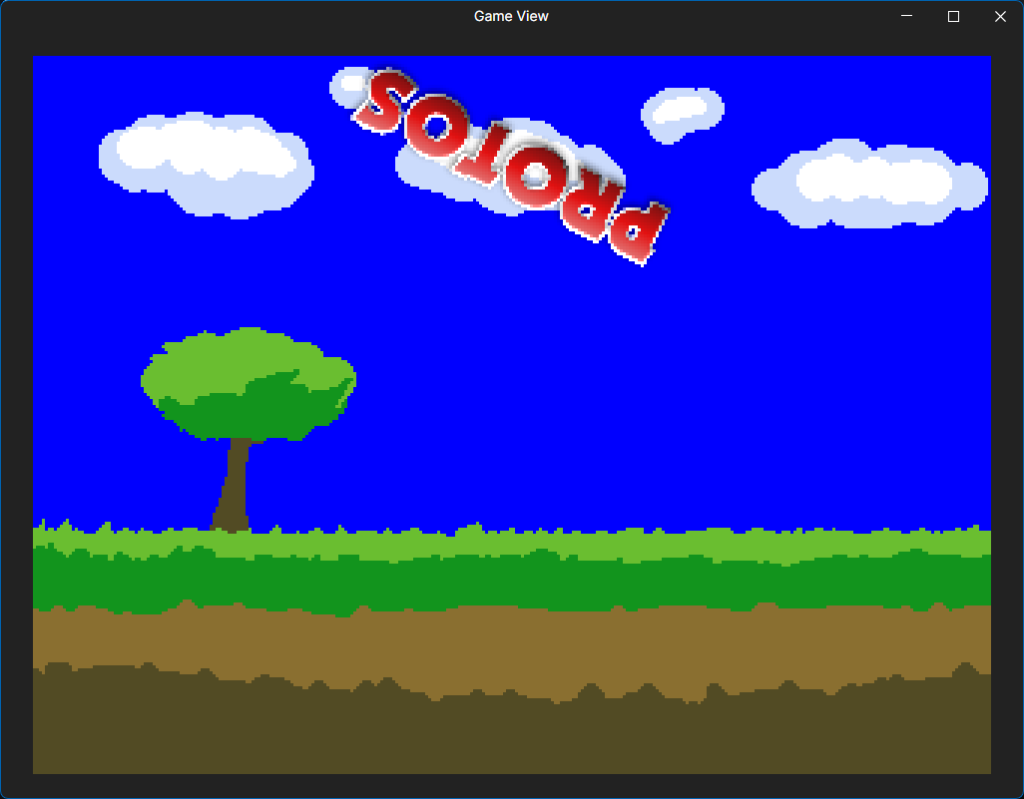
Then when you change code and compile, or you save one of the images used, it will almost instantly update your game while it’s running! Even when your Game is running on the Desktop Console app, in the Browser (though Browser Console version is a bit behind), or anywhere else at the same time.
Did you notice the Logo scaling and rotating? If I were to change some of those values in the Logo in the Gear area in the Inspector and save, it would instantly reload with my changes!
Getting closer to being able to create a full game from the ground up! Quite a few things to do yet, but as you can see, it’s definitely coming along!
The Web Server that I have hosted on Cloudflare is somewhat set-up to use your Steam Key to log in. So in the future, expect to be able to login (Optional). When you login you’ll be able to hit ‘publish’ in the future, and have the game show up on the Web!
The Goal would be to make 2D games incredibly fast. Even faster than those Adobe Flash days where you’d have to save the .swf and upload it somewhere. In this case, publish it, then let the testers play the new version asap!